
The PHOPEN Android APK allows Filipino players to install the official
PHOPEN mobile app directly on Android devices without relying on the Google Play Store.
This guide explains what the PHOPEN APK is, when you should use it, how to install it safely,
and how to fix common installation errors.
This page is written as a technical installation guide. It focuses only on Android APK usage
and does not replace the PHOPEN App review or the main app download page.
What Is the PHOPEN Android APK?
An APK (Android Package Kit) is the official file format used to install applications on Android devices.
The PHOPEN Android APK is the verified installation file that allows users to install the PHOPEN app manually.
Using the official APK is safe when downloaded from the correct source. However, APK files obtained from unofficial websites,
social media groups, or file-sharing platforms may contain modified or harmful code.
For this reason, it is important to understand where and how to install the PHOPEN APK properly.
When Should You Use the PHOPEN Android APK?
The PHOPEN Android APK is recommended in the following situations:
- Your device does not support Google Play Store services
- The PHOPEN app is not visible or accessible in the Play Store
- You are using an older Android device with limited compatibility
- You want direct installation from the official PHOPEN source
If your device can access the Play Store normally, installing through the standard method may be easier.
The APK option is mainly designed as a flexible alternative.
How to Download the PHOPEN Android APK Safely
To avoid security risks, always download the PHOPEN Android APK from the official PHOPEN app download page.
Never install APK files shared through messaging apps, shortened links, or third-party forums.
You can access the verified source here:
official app download page.
Downloading from the official page ensures that the APK file is authentic, unmodified, and compatible with your account.
Step-by-Step Guide to Install the PHOPEN Android APK
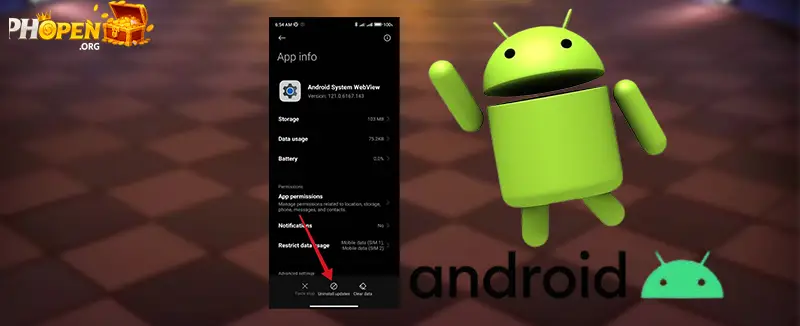
Step 1 – Enable “Install Unknown Apps”
Android blocks manual installations by default. To proceed:
- Open Settings on your Android device
- Go to Security or Privacy
- Enable Install unknown apps for your browser or file manager
Step 2 – Install the APK File
- Open the downloaded file
- Tap Install
- Wait for installation
Step 3 – Open the App and Log In
Once installed, open the PHOPEN app and log in using your existing account.
New users must complete account registration before accessing app features.
Common PHOPEN APK Installation Errors and Fixes
App Not Installed
Free storage or update Android version.
Parse Error
APK not compatible → update system.
Package Conflict
Remove old version.
Blocked by Play Protect
Confirm official source.
Is the PHOPEN Android APK Safe?
Yes, the PHOPEN Android APK is safe when downloaded from the official PHOPEN source.
The app does not require root access and does not request unnecessary permissions.
The APK connects directly to PHOPEN’s official servers using encrypted communication.
How to Update the PHOPEN Android APK
- Download latest version
- Install over old app
- No data loss
PHOPEN APK vs Google Play Store Version
| Feature | APK | Play Store |
|---|---|---|
| Availability | Always | Restricted |
| Install | Manual | Auto |
| Update | Immediate | Delayed |
Get the Official PHOPEN Android APK
Get the Official PHOPEN Android APK
FAQ
Does installing APK affect account?
Need root?
APK safe?
Auto update?
Switch Play Store?
Final Notes
The PHOPEN Android APK provides a reliable alternative installation method for users who cannot access the Google Play Store.
